1. Open the briefing
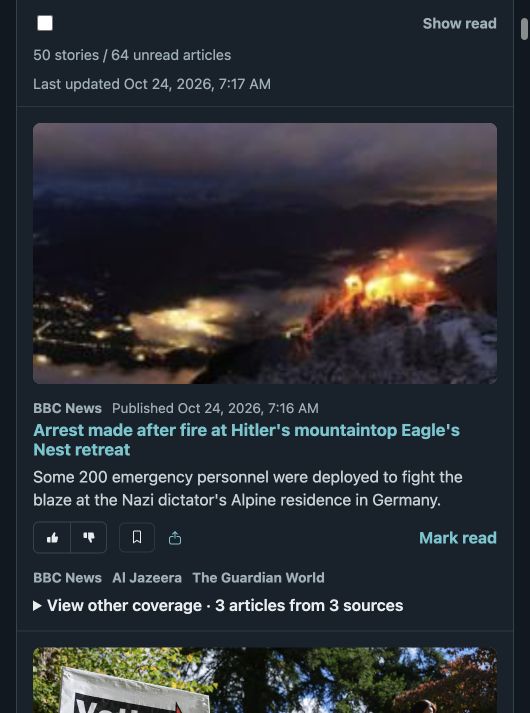
Start as a guest to browse the current stories. Each story shows its publication and offers controls to save, share, or mark it read. Use Show read to include stories you have already marked read.
Feedly alternative · See the workflow
Considering a Feedly alternative? MyNewsroom brings a catalog of news sources, adjustable source priorities, and a reading list into one personal briefing. Start reading for free and make the briefing your own.
Try MyNewsroom as a guestFree to use. Browse as a guest, then continue with Google to keep your personal briefing across devices.
A practical walkthrough
Start as a guest to browse the current stories. Each story shows its publication and offers controls to save, share, or mark it read. Use Show read to include stories you have already marked read.
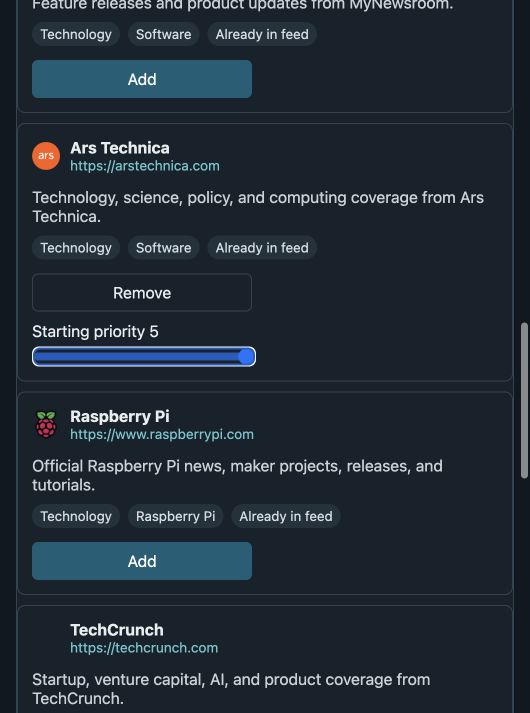
Open Control Center, then pick at least three interests, such as Technology, Science, and Business. In Sources, select Add beside Ars Technica. Adjust its Starting priority slider from 4 to 5. Continue to Finish to review your choices.
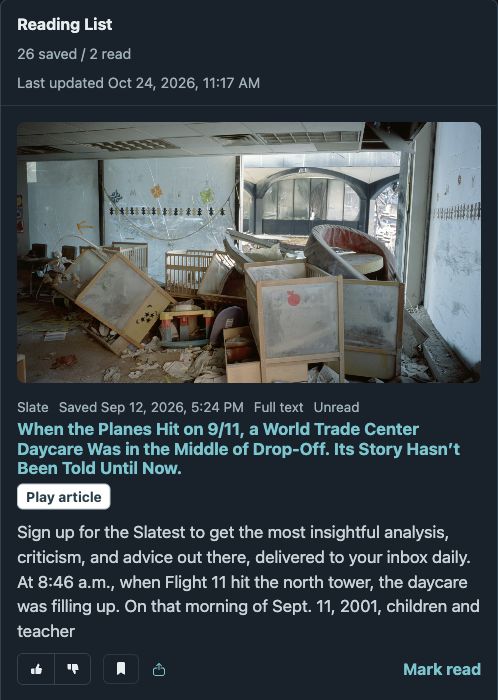
Sign in with Google, then select the bookmark button (Save article) on a story in Briefing. Open Reading List to return to saved stories and read them when you have time.
MyNewsroom and Feedly
MyNewsroom puts source priorities, saved stories, and a personal briefing into a free reading workflow.
Scroll the table sideways to compare both readers.
| Your decision | MyNewsroom | Feedly |
|---|---|---|
| Cost | Free personal briefing, source priorities, and saved stories. | Free Basic plan: up to 100 sources, 3 Feeds, and 3 Boards. Paid upgrades are available; see current pricing. Basic plan limits. |
| Source selection | Find publications by interest and give each selected source a starting priority from 1 to 5. | Follow news sites, blogs, and industry publications; additional source types depend on plan. Reader overview. |
| Saving stories | Keep stories in Reading List with read/unread status and playback controls. | Save articles to personal Boards. Boards overview. |
Before you start
MyNewsroom currently has no paid subscription. Open the guest briefing without signing in. Google sign-in is required to save articles, apply your selected sources, and keep your profile across devices.
Open Control Center to choose your interests and publications, including sources such as BBC News, Ars Technica, and ScienceDaily. Adjust source priorities to shape your briefing, then return to Tune Your Briefing as your interests change.
Sign in with Google and select a story’s bookmark button. Your Reading List keeps saved stories together so you can return to read or listen, track what you have read, and share a story.
Yes. Read your briefing in your phone’s browser or on your desktop. Sign in with Google to access your profile and saved stories across devices.
Take a look
Start with the free guest briefing. Continue with Google to choose your sources, save stories, and build a reading routine around what matters to you.
Explore source controls, the personal news feed, and the RSS reading workflow.